HiBy FD3II User Manual
1. Product introduction
- Utilize two CS4302 decoding chips and the Bluetooth chip AB1565 from Airoha Company.
- An LPF is composed of two OPA1612 operational amplifiers; an earphone amplifier driver stage is composed of two ADA4625-2 operational amplifiers; and a fully discrete earphone amplifier is composed of 32 carefully matched pairs of transistors.
- The audio specifications support DSD512, PCM 768kHz@32bit, and MQA 8X (SBC, AAC, LDAC, UAT).
- It can switch between A/AB type headphone amplifier circuits and supports both high and low gain modes.
- Supports 3.5mm and 4.4mm Phone Out output ports; Supports 3.5mm and 4.4mm line output ports; Supports audio input via Type-C port.
- This product can be used with the HiBy USB Master software to adjust [Volume Equalizer PEQ], [Power Mode], [Sound Spectrum Interface], and [Lighting and Screen Display]. For specific operation methods, please refer to [IV. User Guide and Setup Instructions]
- This product does not have a battery inside and requires power connection for use.
HiBy FD3II appearance display:
(Reference is taken to the desktop placed on the front of HiBy FD3II)
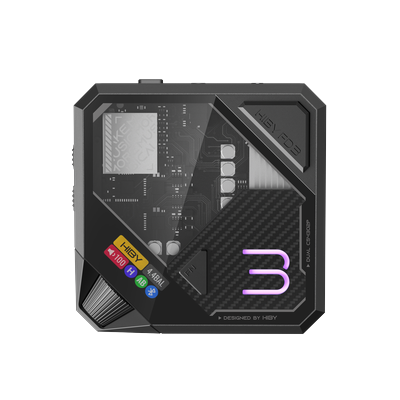
- HiBy FD3II adopts a double-layer split magnetic suction port design, separating the power supply from the analog circuit, the lower layer is an independent power supply, and the upper layer is an audio processing circuit.
- It has a 3.5mm single-ended Phone Out output and a 4.4mm balanced Phone Out output; it has a power indicator on the front.
- There is a "5" status light at the top; FN multi-function button; display screen; volume knob.
- There are 3.5 and 4.4mm Phone Out output ports on the upper front. There are A/AB type switching buttons on the left side of the upper layer; high and low gain switching buttons. The upper back has 3.5 and 4.4mm line output ports; TYPE-C accent audio input ports.
- There is a power indicator light on the front of the lower layer. There are power switches and DC power sockets on the back of the lower layer.
2. Key and status light usage instructions
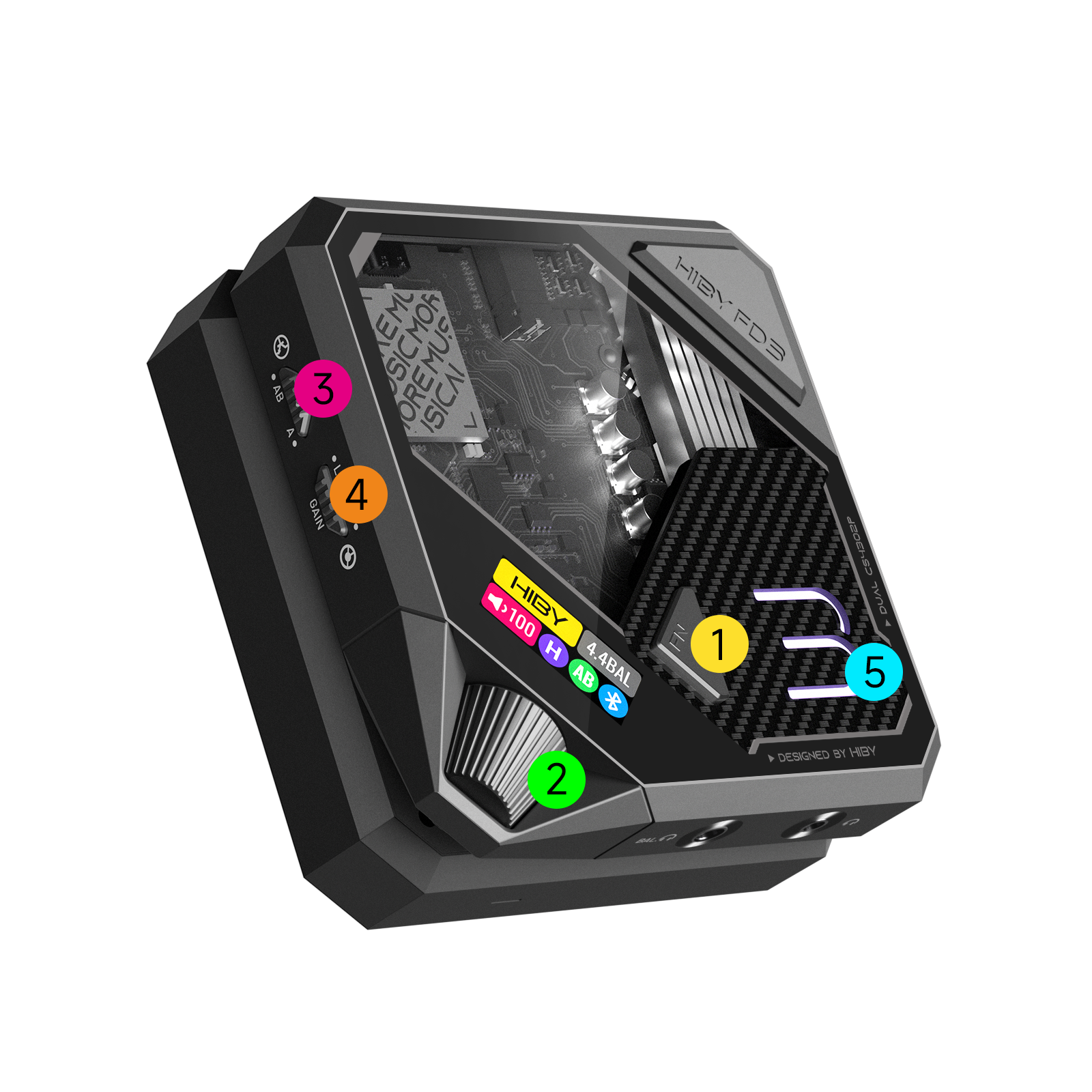
| Key | Function |
|---|---|
| ①FN function key | 1. Press and hold the FN key to turn on/off 2. Quickly double-click the FN key to switch UAC1.0/2.0 3. Switch Bluetooth/USB mode: Click to enter Bluetooth/USB mode. At this time, the switch animation appears on the display. Click again to confirm the current mode. |
| ②Volume knob | Adjustable volume up and down |
| ③ Class A/Class B switching keys | Class A/Class B amplifier switching keys |
| ④ High and low gain switching keys | High and low gain keys |
| ⑤ "5" status light description | 1. In Bluetooth state: Blue light: Bluetooth mode Red and blue flashing: Bluetooth enters pairing mode Red: Bluetooth timeout disconnected/charged state 2.When playing music under USB connection state: MQA Rendering: Magenta PCM: ≤48K Yellow PCM: 88.2K~192K Light blue PCM: 352.8K-above orange DSD 64-512 White 3.When not playing under USB connection state: indicator light is red |
3. Interface usage instructions
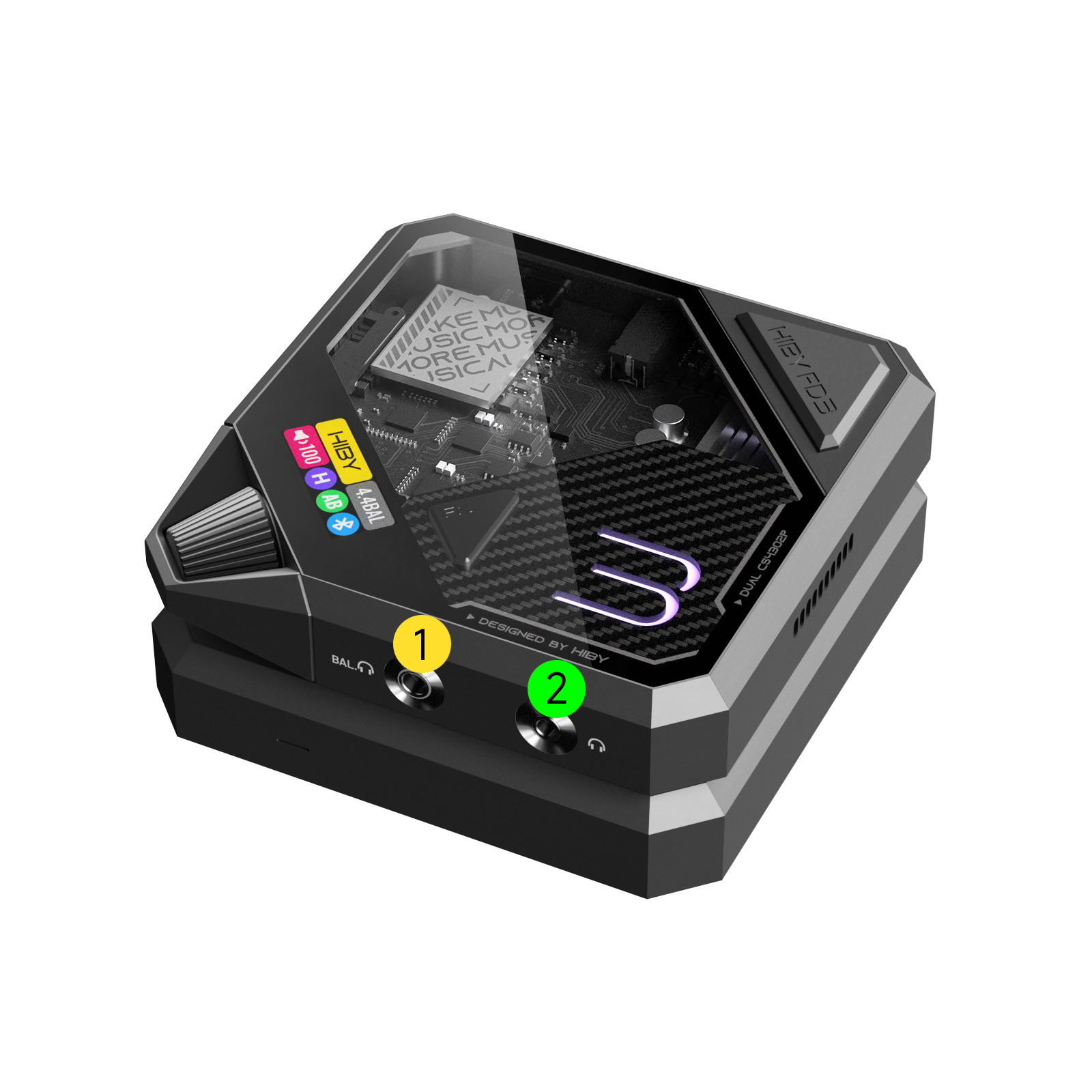
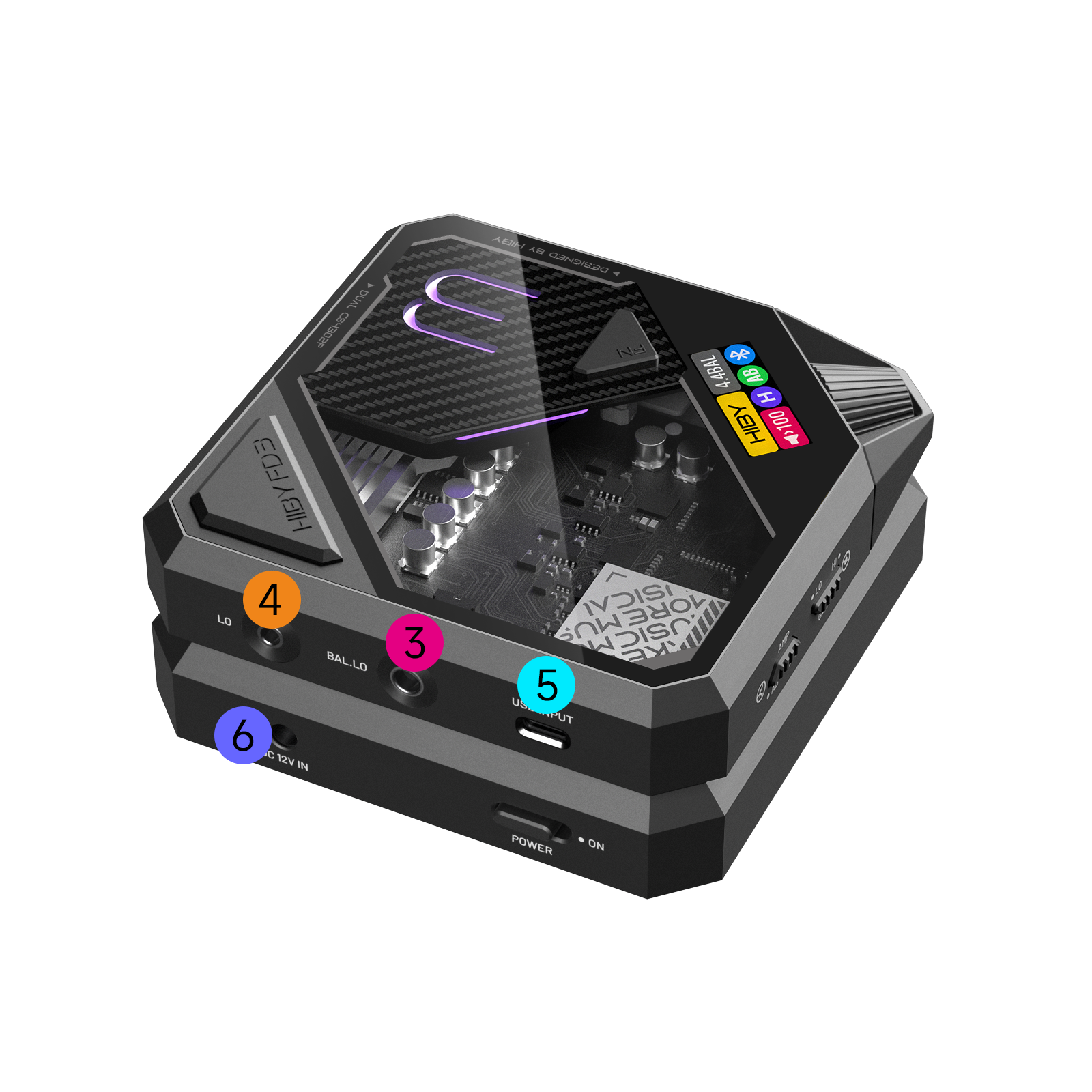
Interface distribution map
-
The front is ①3.5mm single-ended Phone Out output port and ②4.4mm balanced Phone Out output port.
The back is ③3.5mm balanced line output port, ④4.4mm balanced line output port, ⑤TYPE-C port, and ⑥ power interface. -
Audio input hole TYPE-C data input port
-
Audio output hole The back is a 3.5mm single-ended line output port; a 4.4mm balanced line output port, and the line output can be connected to audio, amplifier, etc.
The front is 3.5mm single-ended Phone Out output; 4.4mm balanced Phone Out output, and the Phone Out output port can be directly connected to the headphones.
| Interface | Support standard | Wireless control | Call |
|---|---|---|---|
| 3.5mm PO | Support 3-section and 4-section of US Standard (CTIA) | Support (US Standard (USB Connection Mode) | Support |
- Power supply interface The HiBy FD3II does not have a battery inside and needs to be connected to power using a DC adapter.
4. Screen introduction
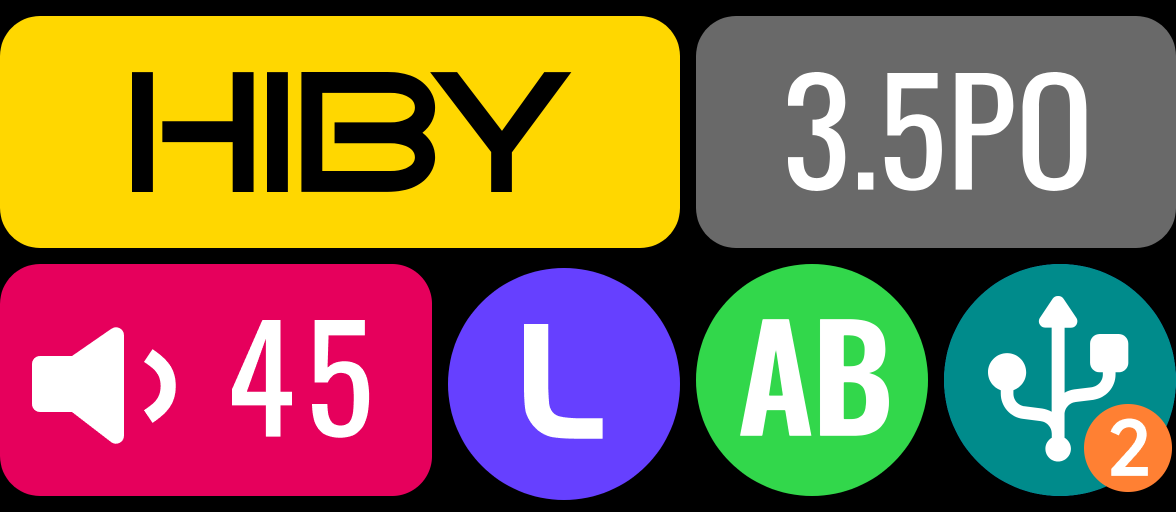
- When the HiBy FD3II is powered on and there is no music player, the "HIBY" logo appears in the upper left corner
- When the music is played, the "HIBY" icon bar will be changed to the audio specifications of the currently played music, as shown in the figure below
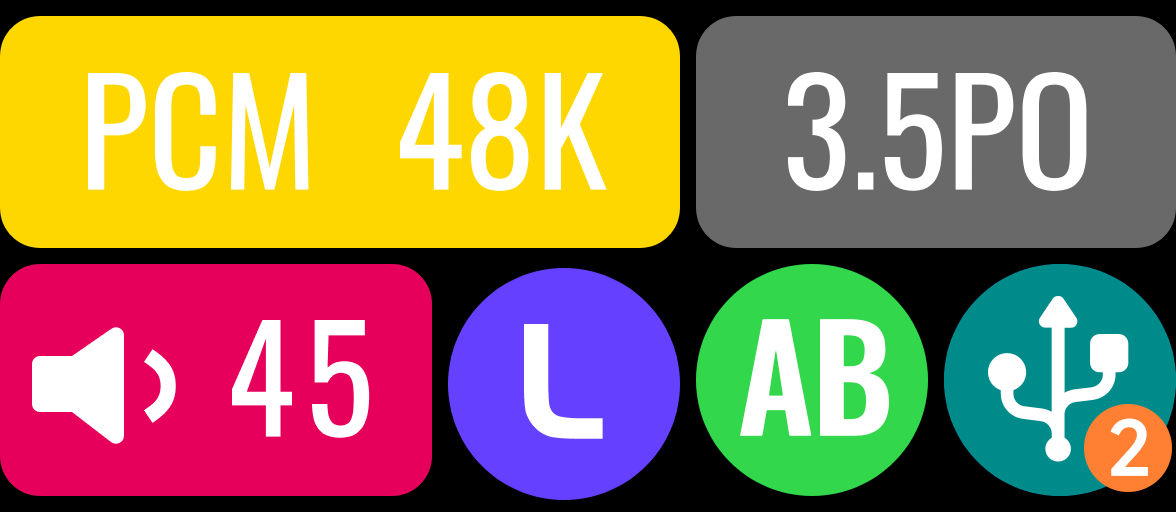
- The icon bar in the bottom right corner is the current connection mode.
 Represents a wired connection
Number 1 is UAC1.0 connection mode
 Number 2 is UAC 2.0 connection mode
 Represents Bluetooth connection
- The "3.5PO" icon bar is the headphone interface used for the connection
- "3.5PO" means that the current connection is 3.5mm Phone Out output
- "4.4BAL" means that the current connection is 4.4mm Phone Out output
- "4.4LO" means that the current connection is 4.4mm line output
- "3.5LO" means that the current connection is 4.4mm line output
- "None" means there is no output at present
- The icon bar in the bottom left corner is the current volume display, and the maximum volume can be adjusted to 100.

- Where the "L" icon bar is the gain mode of the current device
 "L" means low gain
 "H" means high gain
- The "AB" icon bar is the current head amplifier mode
 "AB" means AB ear amplifier
 "A" means Class A ear amplifier
5. Introduction to use and setup instructions
When this product is connected to a mobile phone, amplifier or computer via USB, it can be used as a USB decoding headphone amplifier or computer sound card; when it is connected to a mobile phone, player or computer via Bluetooth, it can be used as a Bluetooth decoding headphone amplifier or Bluetooth sound card.
(1) Wired connection
1. USB audio input
Please connect the decoder and the host device using a wire with at least one end of Type-C. Compatible with Mac, Windows, iOS, Android, players, dedicated digital players and other systems, without driver plug and play.
The connection is not successful, please check whether the wire is recognized. When the phone is connected, the OTG function may need to be manually turned on, and the Seaweed Music exclusive function needs to be turned on. The firmware needs to be upgraded to the latest firmware. Please check the latest firmware on the HiBy wiki.
2. Setting instructions
(1) When connecting to Windows computer
When connecting to the computer, users need to download the HiBy USB Master software through the official website of HiBy Music (www.hiby.app) and update to the latest firmware (find the latest firmware on the HiBy wiki). The following settings for HiBy FD3II are:
①.Power mode
- Normal mode: If the device does not have audio input, it will delay for 10 minutes before turning off the audio analog terminal, saving power
- Power saving mode: The device will automatically turn off the audio analog terminal without audio input, saving power
- Normally open mode: After connecting, the device is kept on (including the analog terminal), and there will be a constant power consumption.
②.Lighting and screen display settings
- Turn on the light display, the FD3II light will always be on.
- Turn off the lights, and the FD3II lights will turn off as the music plays stop
③.MQA RENDER enable setting
- MOA RENDER Expand
④.Volume spectrum interface
- No interface: Current mode of voiceless meter and spectrum display
- Sound meter: After the audio is played for a period of time, the left and right channels of the sound interface will be automatically displayed.
- Spectrum: After the audio is played for a period of time, the spectrum interface will be automatically displayed.
(2) When the HiBy Music Player is connected You can view the USB device name and current device version number, and you can also adjust [Volume EQ], [Power Mode], [Volume Spectrum Interface], [Lights and Screen Display].
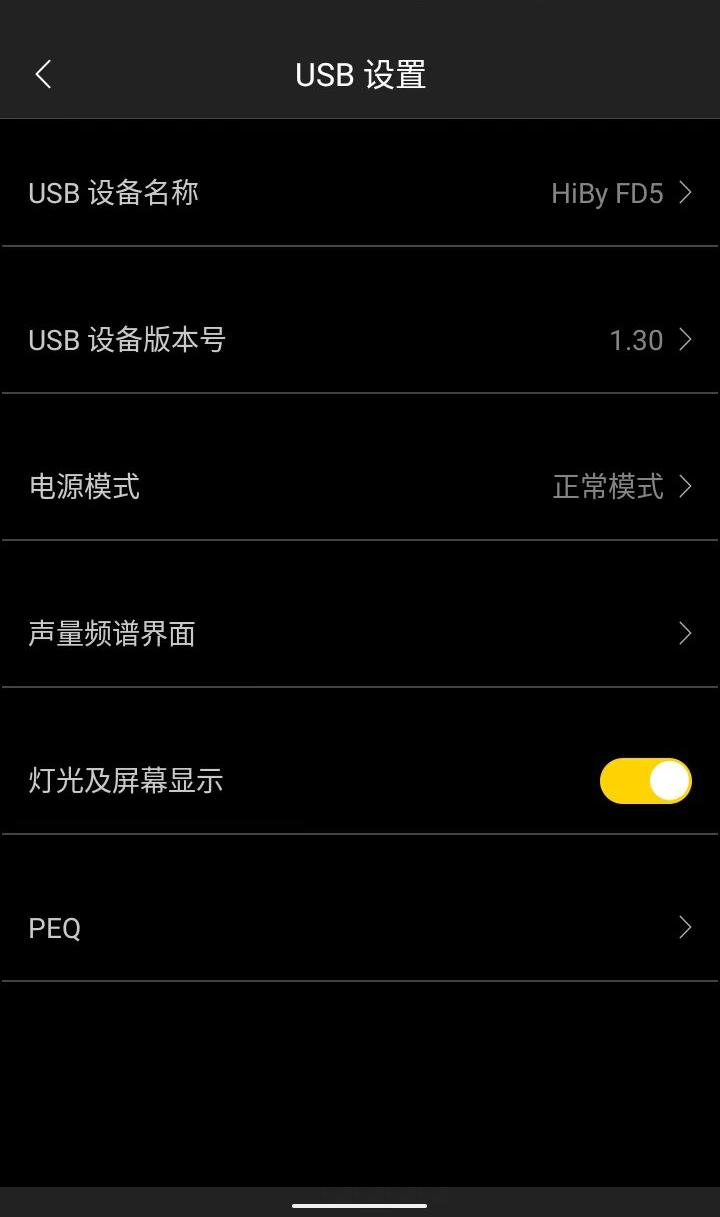
(3) When connecting to Android phone/tablet You can view the USB device name and current device version number, and you can also adjust [Volume EQ], [Power Mode], [Volume Spectrum Interface], [Light and Screen Display].
(4) Connect to the Apple Computer Refer to the usage method [(II) Setting instructions 1. When connecting to Windows computer]
(II) Bluetooth connection
The FD3II cannot be connected to Bluetooth headsets. When Bluetooth cannot be connected, please clear the Bluetooth transmitting device data and try to reconnect
1. Bluetooth audio input
HiBy FD3II only supports Bluetooth audio reception, and Bluetooth compatible formats include SBC, AAC, LDAC, and UAT. Click the FN key to enter Bluetooth mode. At this time, the toggle animation appears on the display. Click again to confirm the current mode.
2. Setting instructions
Users can set up Bluetooth listening through the HiByBlue APP or Bluetooth transmitting device. APP Please go to the official download website of HiBy Music www.hiby.app to download.
When Bluetooth is connected, the A/AB type settings and high and low gains are still in effect.
6. Things to note
- This product has a high gain mode and Class A headphone amplifier, and there is a certain heating condition during use;
- During use, please adjust the volume of the device to the appropriate position to avoid excessive volume damaging hearing;
- Before plugging and unplugging the headphones, it is recommended not to wear them to avoid possible instantaneous impact sounds;